
Enterprise Software Design
Intelligent Trade Claims Management
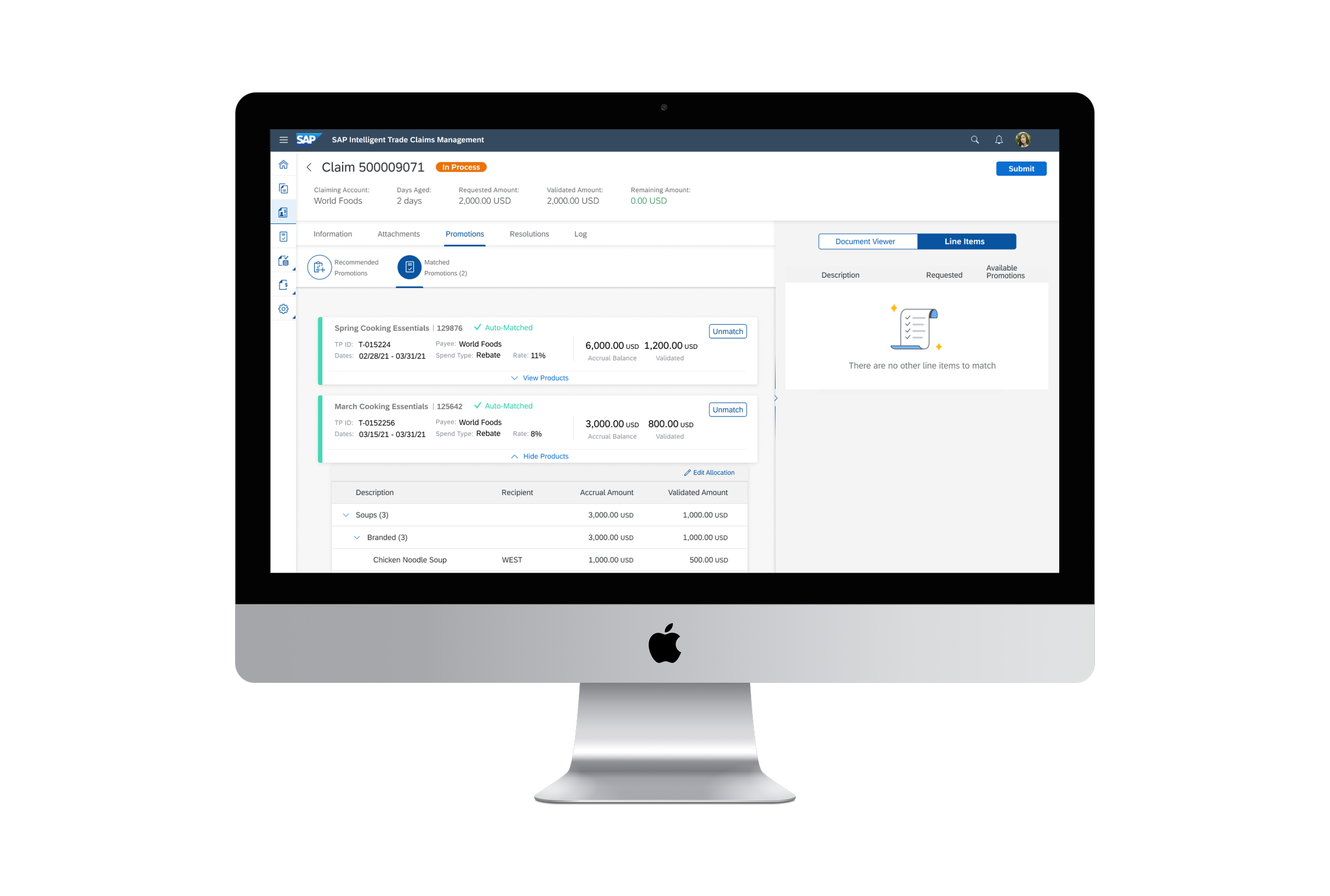
SAP’s Intelligent Trade Claims Management (ITCM) is a virtual assistant for the Consumer Packaged Goods industry, enabling efficient processing of deduction claims by aggregating and enriching promotion execution activity in real-time, making the once manual process obsolete. My team produced ITCM from whiteboard ideas through going live with customers.
Team: 3 UX Designers, 1 UX Writer, 8 Product Managers, & 6 Scrum Teams of Engineers
My Role: UX Design Lead & UX Research Lead
Duration: 2 years
Tools Used: Figma, Jira, Mural, LucidChart, Qualtrics, Respondent.io, UserZoom, & Pendo
The Challenge
Currently, 1-3% of CP industry revenue is tied up in claims outstanding - that’s $140-$420 billion stuck in financial inefficiency. There are three key challenges we identified: disparate systems and tools, time-consuming process of manually validating claims, and multiple streams of information that often leads to duplication of efforts.
The Solution
Provide a system that acts as a single source of truth for the end to end process, removes manual steps, and provides visibility and accountability.
The Research
As UX Research Lead, I defined the tools and processes we leveraged for the research of ITCM which we have now scaled to 10 other minimum marketable products. Here’s the timeline of research through the lifecycle of the product:
Moderated Usability Testing
Moderated usability testing was incredibly valuable in shaping ITCM. The content for each study was fueled by a hypothesis tracker filled by PM & UX. I prepared and moderated over 100 hours of remote usability sessions with industry professionals that we recruited through Linkedin and Respondent.io. The topics covered in these sessions included validation of prototypes prior to designs being developed, users logging into staging environments to test end to end flows, and card sorting exercises for information architecture purposes.
Surveys
We leveraged System Usability Scale (SUS) surveys after each usability test to provide a SUS score to track progress and to report up to key stakeholders. Our team had an Objective and Key Result (OKR) to maintain a SUS score of 80+ which we succeeded in providing.
“So What?” via Research Findings
To ensure research findings were weighed in the decision-making of the wider product team, I provided key takeaways informed by affinity mapping, presented findings to the wider team on a bi-weekly basis with a ranking of critical, major, and minor usability flaws, and provided highlight reel clips so that all team members could gain empathy for end users.
User Personas
To advocate for the end user in discussions throughout our process and to humanize demos we provided to customers we defined user personas that we would refer to regularly. The two main personas in the current iteration of the product are Colette and Keith.
The Design Ideation
Event Storming
Prior to beginning the design and development of the product, we weighed the thoughts of product managers, developers, designers, and scrum coaches in our initial ideation sessions through event storming. These workshops helped define business process modeling, requirements engineering, and the initial vision for the pilot release.
Early Ideas
One of the intended key features of ITCM was speeding up the tedious process of promotion matching. Many whiteboard sessions with the product manager I worked with were done to land on the first iteration: the promotion matching workspace.
Pilot Release
Prior to going live with any customers, we had a pilot release. This meant having a developed environment for customer demos, SAP board demos, usability testing, and quality checks. We saw the first iteration of promotion matching come to life.
We discovered, both through usability testing and customer feedback, that having a separate workspace for promotion matching made the experience choppy. This led to the design update of including the promotion matching workspace in the claim itself.
Go-Live Release
Our go-live release marked the beginning of the first customer productively using ITCM as the main tool in their daily business process. The updated promotion matching design received positive feedback from both customers and users during usability studies.
UX Quality Assurance
A personal key learning was the value of including UX quality checks prior to release of features. You can have the cleanest designs and prototypes, but what is developed in the environment is really what matters. I spearheaded a UX QA initiative where designers would test developed features for product standards like accessibility and UX consistency.
The Product
The research, ideation, and development of the last ~2 years has led to the current state of ITCM — check out some of the key features below.
Claims List
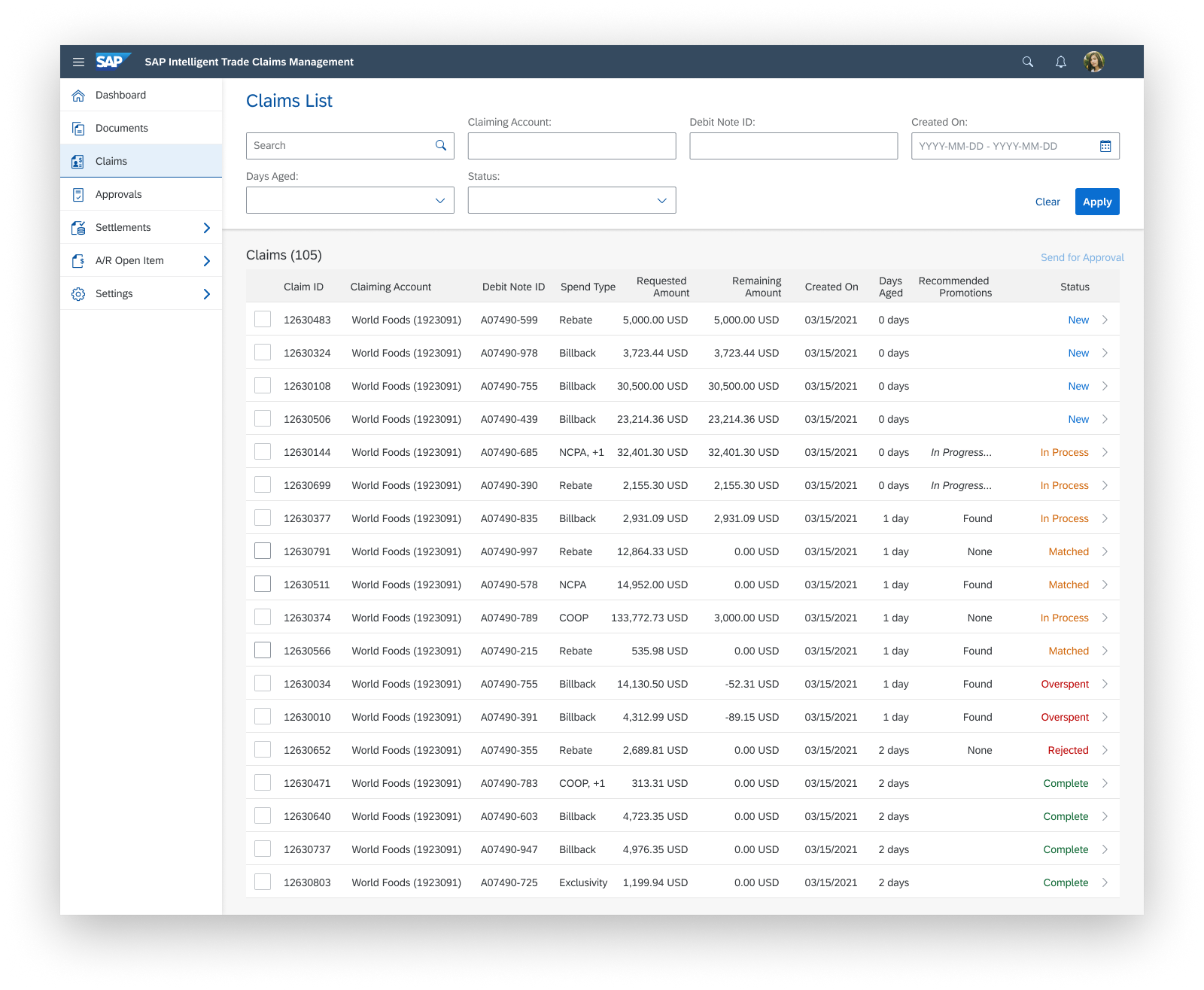
ITCM is integrated with a database that leads to claims created in the system each time there is a deduction that is classified as trade related. To the user, they’ll see a work list with key details.
Document Library
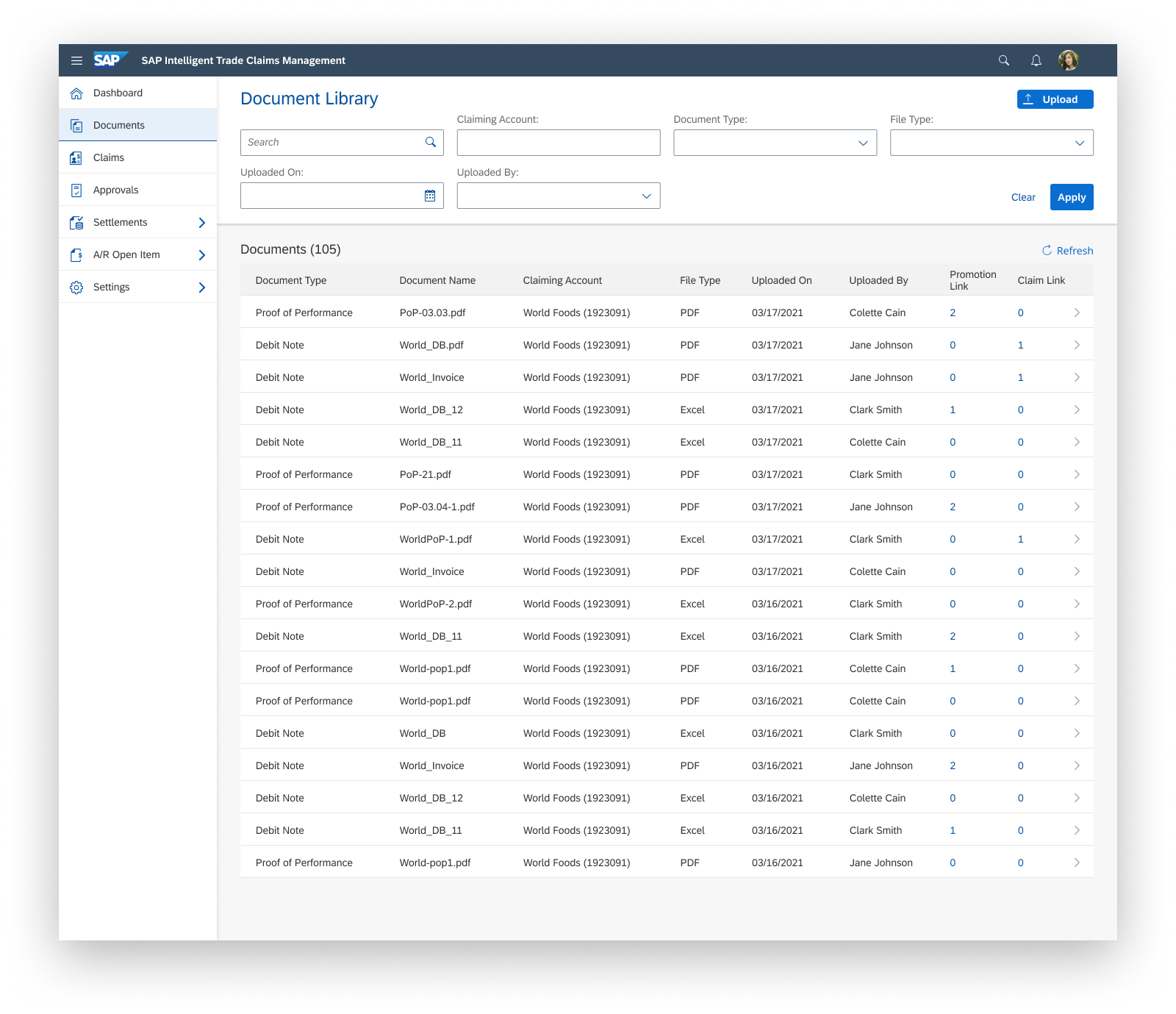
Users upload a debit note into the system. The system extracts the information from the debit note. The system uses the extracted information to pair the debit note with existing claims.
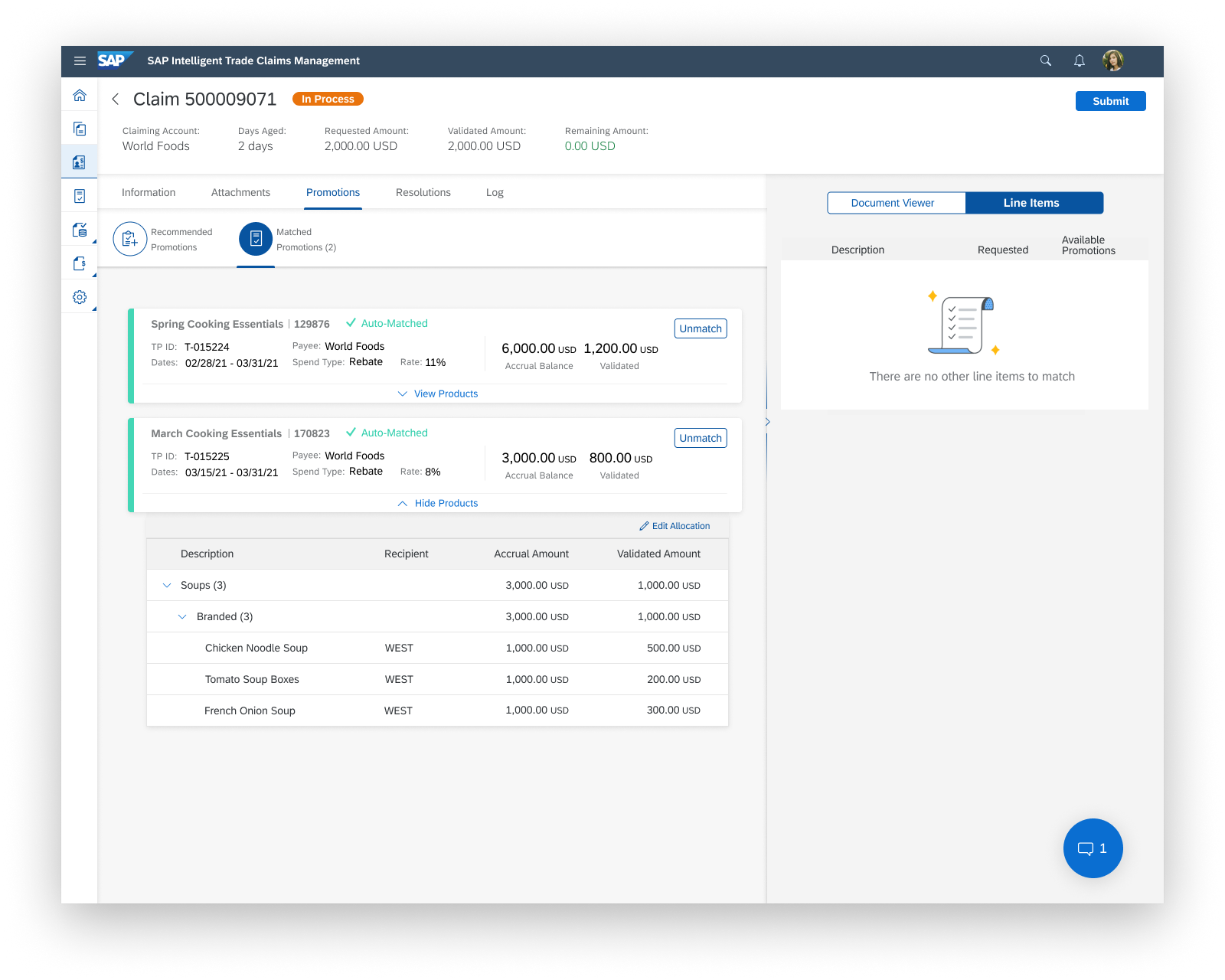
AI Promotion Matching
The system’s machine learning algorithm, fueled by the information extracted from the debit note, auto-matches promotions to the claim.
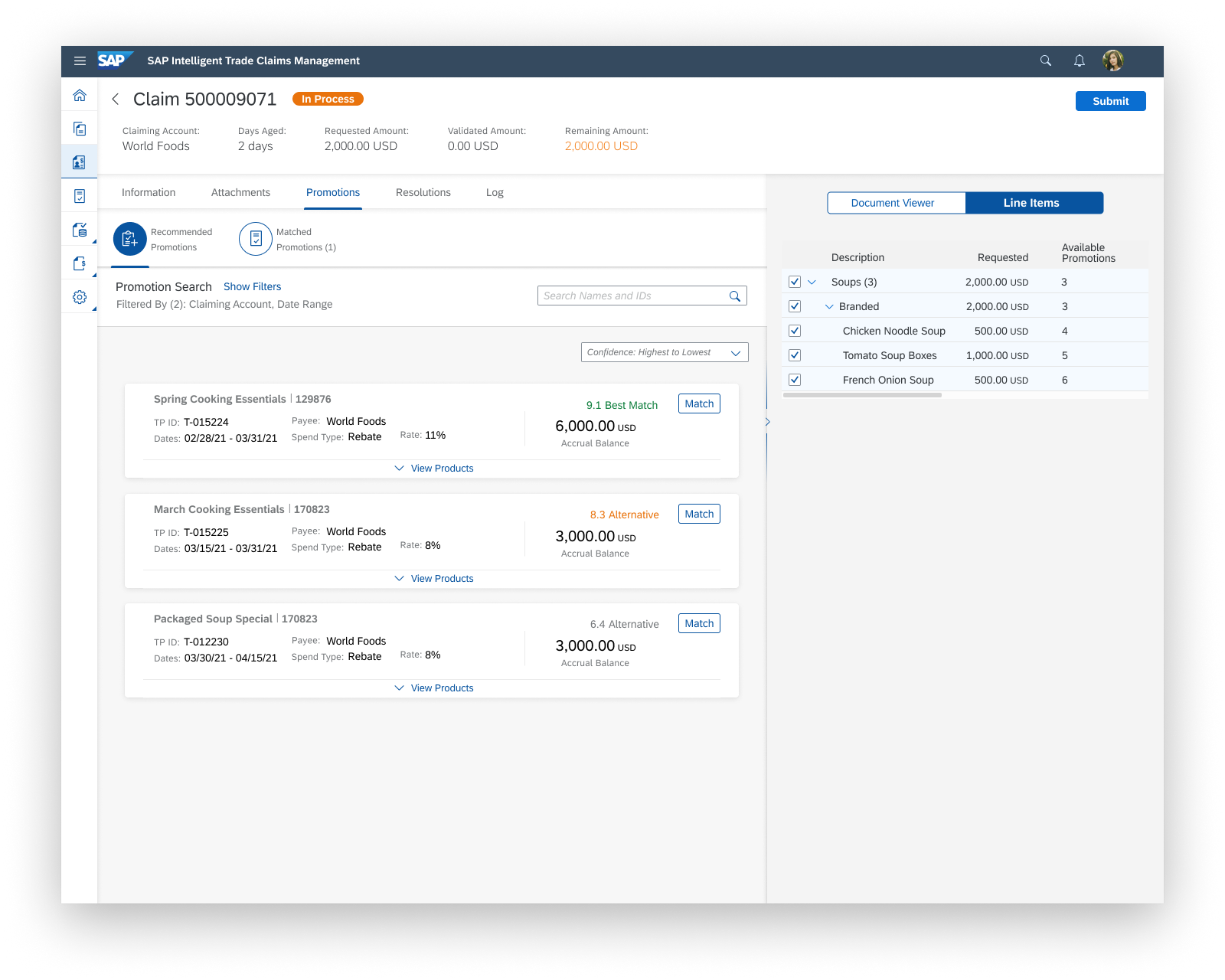
AI Recommendations
If users aren’t satisfied with the auto-matches, they are able to edit values, view other recommendations, or search for other promotions.
Outcomes
77%
Reduced claims that require user validation of promotions by 77%
27.2M
Settled $27,203,769.85 worth of claims for early adopters within first year
1.9
Reduced Average Days Deductions Outstanding (DDO) from 30 to 1.9 days
Reflections
Closely collaborating with other designers, product managers, and engineers meant constantly learning from various angles of building a product. This collaboration helped shape my ability to weigh business needs, technical feasibility, and user needs in my decision making.
As part of an innovation unit within a large corporation, navigating corporate guard rails taught me the delicate balance of staying true to the higher level vision of the wider company while advocating for the users we’re building for and ensuring the end result is more user-driven than it is driven by how things have been done before.
Watching the product take shape from the early discussions and sketches through being built and used was so rewarding. Seeing people actively use features my team worked on to successfully do their daily work is a feeling like no other.